How to write a YouTube Shorts script: a fill in template, a worked example and a prompt to copy
A good Short is written before it is made. This guide gives you a five beat structure, a template you can fill in for any topic, a finished example script, and a prompt you can paste into any AI writing tool.
By the FacelessHype team
6 min read
A YouTube Shorts script is the words your video says, line by line, with a note of what the viewer sees under each line. For a faceless channel, the script is the video: the voice, the captions and every picture come from it. A weak script cannot be saved by good visuals, and a strong one makes even simple visuals work.
The good news: Shorts scripts are short. Most are under 150 words. That makes them easy to write once you have a structure.
The five beats of a Short
Almost every Short that holds attention follows the same shape. Learn these five beats and you can write a script for any topic.
- Hook (first line). The promise. Why should a stranger stay?
- Setup (one or two lines). The minimum context needed to understand the payoff.
- Turn (one to three lines). The surprise, the twist, the "but".
- Payoff (one or two lines). The answer the hook promised.
- Loop or last line. A line that makes people replay, comment or think.
YouTube's own Shorts guide puts the first beat bluntly: "Capture attention in the first few seconds to prevent viewers from scrolling." We cover twelve ways to write that first line in our guide to video hooks, so this post focuses on the rest of the script.
How long should a Shorts script be?
YouTube now counts square or vertical videos up to three minutes as Shorts. That is the limit, not the target. Most faceless Shorts work best much shorter, because every extra line is another chance to lose the viewer.
The simplest way to size a script: read it out loud at a natural pace with a stopwatch. If it runs past the length you want, cut lines from the setup first, never the payoff. Our post on how long a Short should be explains how to pick the length.
A fill in template for any topic
Copy this and fill in the brackets. One line per row, and every line gets its own picture.
| Beat | Line | What the viewer sees |
|---|---|---|
| Hook | [Surprising claim or question about the topic] | [The subject itself, moving] |
| Setup | [Who, where or when, in one sentence] | [Place or person, wide shot] |
| Setup | [The normal belief or situation] | [Something everyday] |
| Turn | [But here is what actually happened or is true] | [A close up that changes the mood] |
| Turn | [One concrete detail that proves it] | [The detail, big and clear] |
| Payoff | [The answer to the hook] | [The result] |
| Loop | [A line that sends viewers back to the start, or asks them something] | [Back to the opening image] |
Two rules make the template work:
- One idea per line. If a line has "and" in the middle, it is probably two lines.
- Write for the ear. Short words, short sentences, no brackets or abbreviations that sound odd when spoken.
A worked example script
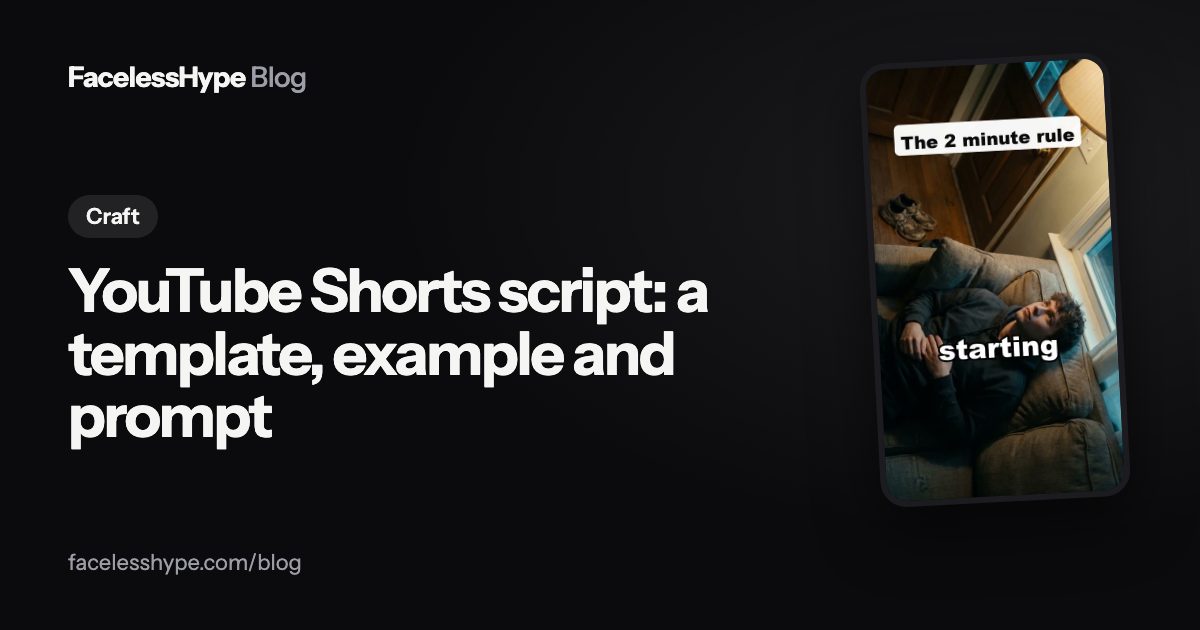
Here is a full script built with the template, for a motivation Short about the two minute rule. It runs about 30 seconds read aloud.
- Hook: If a habit feels too hard to start, you are probably starting the wrong part of it.
- Setup: Most people decide to run three times a week, read every night, or clean the whole flat.
- Setup: Then they skip day one, because day one already feels like a mountain.
- Turn: Here is the trick. Shrink the habit until it takes two minutes.
- Turn: Not "run for half an hour". Just "put on your running shoes".
- Payoff: Two minutes is too small to argue with, and once you have started, carrying on is easy.
- Loop: So what is the two minute version of the habit you keep putting off?
Notice what is missing: no greeting, no "in this video", no request to subscribe. Every line either makes a promise or pays one off. The last line is a question, which gives viewers a reason to comment.
Writing visuals into the script
A faceless video changes picture often, so the script should say what is on screen for every line. A few habits help:
- Show the noun. If the line says "running shoes", the picture is running shoes.
- Change the picture on every line, or every few seconds in longer lines.
- Put a short version of the hook on screen in big text, so it works on mute.
- Match the mood to the turn. The picture should shift when the story does.
Captions come from the script too, so a script that reads well aloud also reads well on screen.
A prompt to write Shorts scripts with AI
AI writing tools are good at drafts and bad at taste. Use them for a first version, then edit. This prompt works in ChatGPT and most other chat tools. Copy it, replace the brackets, and paste it in.
You are writing a script for a [30] second vertical video for YouTube Shorts and TikTok in the [niche] niche. Topic: [your topic]. Audience: [who it is for]. Write it in five beats: hook, setup, turn, payoff, last line. Rules: no greeting, no "in this video", no request to like or subscribe. Plain spoken English, short sentences, at most [80] words in total. The first line must make a clear promise in under 12 words. Every fact must be true and checkable; if you are not sure of a fact, leave it out. Return a table with three columns: beat, line, what the viewer sees.
Then check the draft yourself:
- Is every fact right? AI tools invent details with confidence. Check names, dates and numbers.
- Does the hook match the payoff? If the ending does not keep the promise, rewrite one of them.
- Is it your angle? YouTube's monetization policies allow "using AI to edit your video scripts", but say the final product must "demonstrate your creative vision". Add the detail or opinion only you would add.
Common script mistakes
- Slow setup. Context before the hook. Start with the event, add context after.
- Too many facts. One surprising fact told well beats five told quickly.
- No turn. If nothing changes in the middle, there is no reason to keep watching.
- A flat ending. "And that is why..." is a summary, not a payoff. End on the most interesting line.
- Writing for reading, not hearing. Long sentences look fine on a page and sound tiring in a voiceover.
For the voice side of the script, see our guide to AI voice for YouTube. To turn a script like this into a finished video, see the text to video AI page.
Scripts in FacelessHype
In FacelessHype you type an idea and the script is written for you as scenes, with the first scene built as the hook. You see every scene in a preview before anything is made, and you can change any line before or after the video is made. Hook Lab writes five opening lines for your idea, each built on a different hook pattern, so you can pick the strongest. The YouTube Shorts maker page shows how a script becomes a finished Short, and each format has its own script structure.
Quick answers
How many words is a 60 second Short? It depends on the voice and pace, so time it: read your script aloud with a stopwatch and trim until it fits.
Can I use ChatGPT to write YouTube Shorts scripts? Yes. YouTube's policies allow AI help with scripts. Check every fact and add your own angle before you use it.
Should I write the script before choosing visuals? Yes. Write the lines first, then add what the viewer sees under each line.
Do Shorts scripts need a call to action? Not at the start. A question as the last line often works better than asking for a subscribe.
Sources
Platform rules change, so check the source before you rely on a figure.
- YouTube Blog (April 8, 2025): Your guide to getting started with YouTube Shorts
- YouTube Help: Understand three-minute YouTube Shorts
- YouTube Help: Channel monetization policies
Written by the FacelessHype team. FacelessHype is not affiliated with YouTube or TikTok. Nothing here is a promise of views or income.