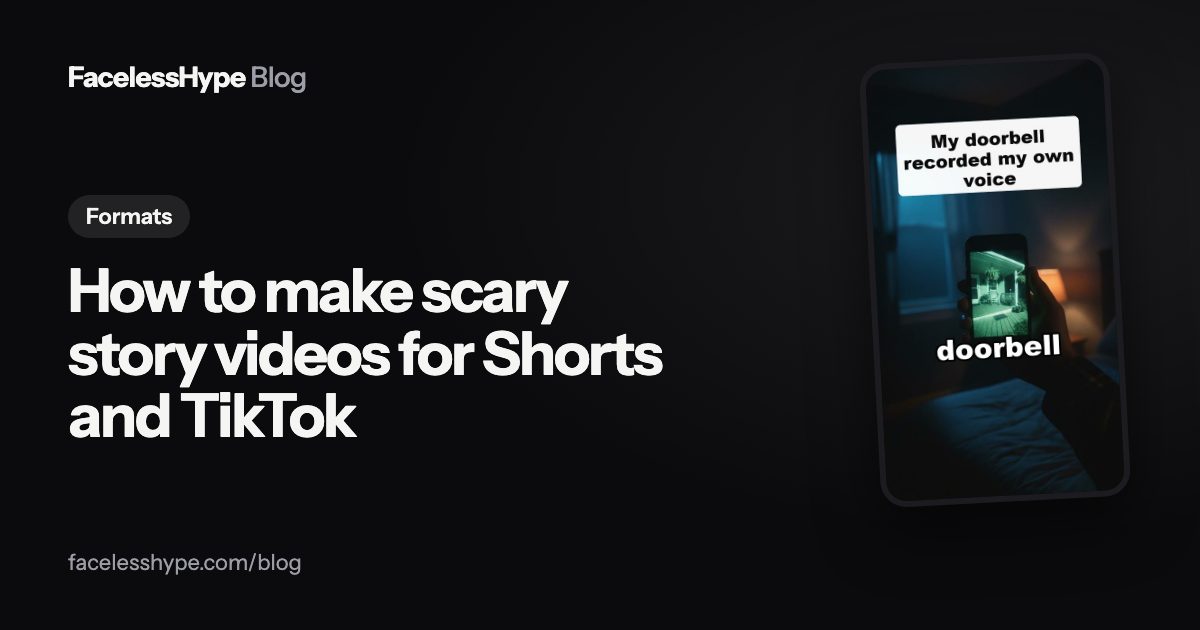
How to make scary story videos: creepy, short and safe to post
Scary stories are a natural fit for faceless channels: nobody needs to see who is telling them. Here is how to write and make a short horror video that holds people to the last line, and what keeps it advertiser friendly.
By the FacelessHype team
6 min read
Updated November 1, 2026
In this guide
To make scary story videos that people finish, you need a short script with one strange detail, a calm narrator, dark pictures that change every few seconds, captions, and a last line that turns the whole story around. The fear comes from the build and the twist, not from blood.
This guide walks through how to make scary story videos step by step, with or without AI, plus eight original ideas and the rules that decide whether a horror Short can carry ads.
What makes a short scary story work
Long horror has time to build a world. A Short has far less time. The stories that work in that space share four parts:
- An ordinary setting. A kitchen, a hotel hallway, a car at night. The more normal it is, the more the strange part stands out.
- One wrong detail. A knock from inside the closet. A voicemail from a number that is not in service. One thing, not five.
- A slow climb. Each line adds a little more pressure. No explaining.
- A twist in the last line. The final sentence changes what everything before it meant. This is what makes people replay and comment.
YouTube's own Shorts guide tells creators to "Capture attention in the first few seconds to prevent viewers from scrolling." In horror, that means the wrong detail belongs in the first line, not halfway through.
How to make scary story videos, step by step
- Start with the twist. Write the last line first, then build the story backwards so every line points at it without giving it away.
- Write the hook. Open with the wrong detail and a time or a place: "At 3:07 AM, the baby monitor picked up a second voice."
- Keep it in the first person. "I" stories feel like a confession and pull the viewer in.
- Cut every explanation. If a line explains why something happened, delete it. The unknown is the scary part.
- Pick a low, calm voice. A narrator who never shouts is creepier than one who sounds scared.
- Make dark, simple pictures. One subject per scene: a door, a hallway, a phone screen. Change the picture every few seconds.
- Add sound carefully. A quiet hum or room tone works better than loud stingers. Silence before the last line makes it land.
- Burn in captions. Many people scroll with the sound off, and a creepy line reads well on screen.
Our guides to writing a YouTube Shorts script and video hooks go deeper on steps 1 to 4.
Creepy, not gory: what keeps ads on a horror Short
Horror is allowed on YouTube, and dramatized violence can still earn. What changes the result is how graphic it is and where it shows up. From YouTube's advertiser friendly guidelines:
| What you show | What the guidelines say |
|---|---|
| Dramatized, non graphic violence | Listed as fine for ads: "Dramatized content depicting non-graphic violence" |
| Mild violence with little blood | Fine: "mild violence with minimal blood" |
| Severe, visible injuries in a fictional story | Limited ads: "dramatized content displaying severe and shocking injuries" |
| A video made only to shock | No ads: "Highly shocking content where the whole purpose of the video is to shock viewers" |
The same page says the rules apply to "all portions of your content", including the thumbnail, title, description and tags. A gory first frame or title can cost you even if the story itself is mild.
There is one more line to keep in mind: content "that is safe for adults, but could shock or scare kids" is treated more strictly when it is aimed at kids. Keep horror clearly for an older audience: no cartoon style that looks like a children's show, and no kids' characters. If you are not sure, read our guide to YouTube made for kids.
The simple rule: suggest, do not show. A shadow in a doorway is scarier than a wound, and it keeps the video safe.
Eight original scary story ideas
New ideas, each with one wrong detail and room for a twist:
- The smart speaker started answering questions nobody in the house had asked
- My new apartment came with a note taped inside the oven: "Do not let him in after midnight"
- Every photo on my phone from last night has one extra person in the background
- The elevator in my building stops at a floor the building does not have
- My dog will not walk past the spare room anymore, and last night the door was open
- The lost and found box at the hotel had my jacket in it, and I had never stayed there
- My grandfather's old radio only plays one station, and it says my name at the end
- The neighbour waved at me through the window, but my window faces a brick wall
Each one could become a series. End part 1 on the moment just before the reveal, and make part 2 from the same idea.
How to make horror story videos with AI
Making a scary story by hand means writing, recording a voice, finding or making dark footage and timing captions. AI does most of that from one sentence.
In FacelessHype, pick the scary stories format, type the idea, and the app writes the script, records a calm narrator, makes the dark visuals for each line and burns in the captions. The stories stay creepy, not gory: the fear comes from the slow build and the last line. You see every scene before anything is made, and you can rewrite a line or remake one picture after.
Two things to keep in mind when you use AI photos for horror:
- Keep it clearly fiction. YouTube asks creators to disclose realistic altered or synthetic content, such as AI footage of a real place or an event that did not happen. A made up story in a fully stylised look is a different case, but a realistic fake news clip about a real town is not.
- Do not name real people. Set stories anywhere you like, but leave out real names, real addresses and real crimes. That is a different format, with its own rules (see true crime).
Keeping a horror channel from looking templated
YouTube's monetization policies name "templated storylines" and content that "may feel repetitive to viewers after watching several videos in a row from the same channel" as inauthentic. Horror channels drift into this easily: the same voice, the same three dark loops, the same story shape.
Ways to stay varied:
- Change the setting every video. Kitchen, car, hotel, school, woods, office.
- Make new pictures for each story instead of reusing the same stock loops.
- Vary the twist type. Sometimes the narrator is the ghost. Sometimes it was never a ghost. Sometimes the twist is a date.
- Use a recurring character for a series, like a night guard or a delivery driver, so the channel has an identity, not a template.
Where to post scary story videos
Scary stories travel well on TikTok, Shorts and Reels, because they are vertical, captioned and need no face. Late evening posts suit the mood, but the story matters far more than the clock (see the best time to post YouTube Shorts). The scary story video maker has ideas to start with.
Quick answers
How long should a scary story Short be? Long enough for one wrong detail, a climb and a twist. On TikTok, only videos longer than one minute qualify for the Creator Rewards Program, so a cut just over a minute suits both apps.
What voice is best for horror? A low, calm voice that never shouts. Calm makes the strange parts feel worse.
Can scary story videos be monetized? Dramatized horror can earn on YouTube if it is not graphic and not made only to shock, and if the channel is original. Gore in the thumbnail or title can limit ads.
Do I need to label AI horror videos? Only realistic content that could be mistaken for real, like AI footage of a real place or a real event that did not happen. A clearly made up story in a stylised look does not usually need the label.
Sources
Platform rules change, so check the source before you rely on a figure.
- YouTube Help: Advertiser friendly content guidelines (violence and shocking content)
- YouTube Help: Channel monetization policies (reused and inauthentic content)
- YouTube Blog (April 8, 2025): Your guide to getting started with YouTube Shorts
- YouTube Help: Disclosing use of altered or synthetic content
- TikTok Creator Rewards Program terms (last updated April 2025)
Written by the FacelessHype team. FacelessHype is not affiliated with YouTube or TikTok. Nothing here is a promise of views or income.