How to make AI story videos for YouTube and TikTok that people watch to the end
AI story videos are short films where every scene is made with AI: a narrator, a few characters and a twist at the end. The hard parts are not the tools. They are a story that fits in a minute and characters that stay the same from scene to scene. Here is how to get both right.
By the FacelessHype team
6 min read
Updated November 1, 2026
In this guide
- What makes an AI story video work
- Step 1: Write a story that fits in a minute
- Step 2: Keep your characters the same in every scene
- Step 3: AI images or AI video?
- Step 4: Voice and dialogue
- Step 5: Captions, length and posting
- The rules for AI story videos
- Making AI story videos in FacelessHype
- Quick answers
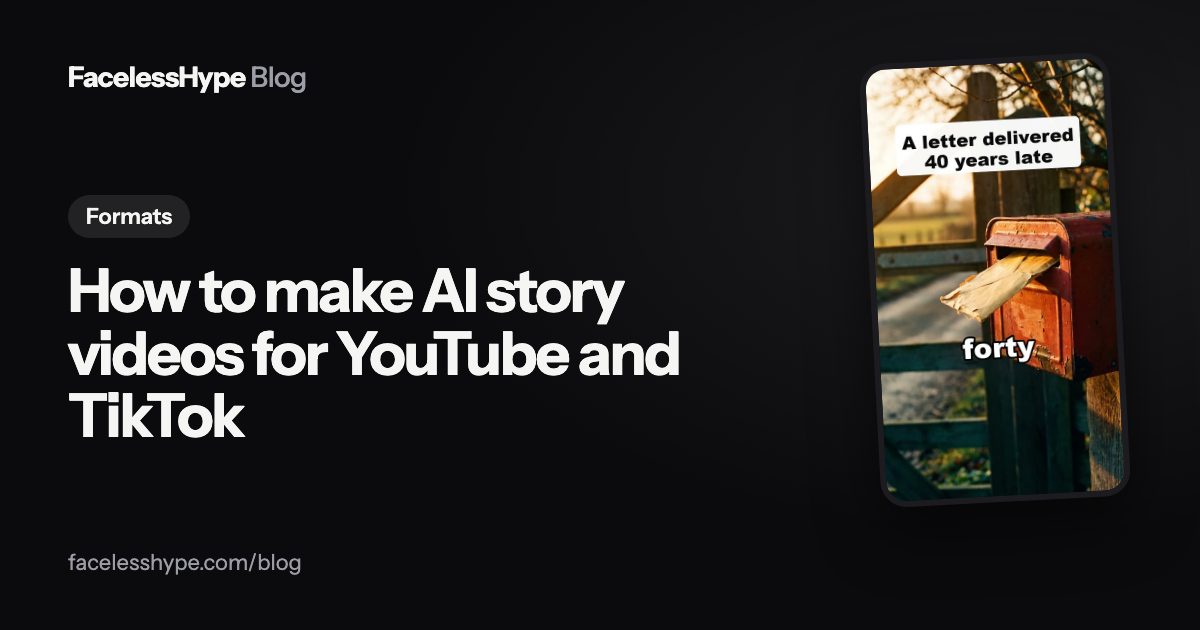
An AI story video is a short film told by a narrator, with every scene made by AI: the characters, the places and sometimes the movement. They range from a love letter delivered decades late to a lighthouse keeper who finds a door that was not there yesterday. If you want to know how to make AI story videos that people finish, the tools matter less than two things: a story shaped for a minute, and characters that look the same in every scene.
This guide covers both, then voice, captions, length and the rules that apply.
What makes an AI story video work
The AI story videos that hold attention share a few traits:
- One character the viewer follows. Two at most. A crowd is hard to care about in 40 seconds.
- A clear want or problem in the first line.
- A turn in the middle, where the situation changes.
- An ending that lands, often a reveal or a twist that makes people replay or comment.
- Scenes that look like one film, with the same faces, clothes and light.
Everything else, the art style, the voice, the music, is taste.
Step 1: Write a story that fits in a minute
Short stories have no room for a slow start. Use this five part shape:
- Open on the moment. "The letter arrived 40 years late." Not "Once upon a time, in a small town...".
- One line of who and where. Just enough to follow.
- The complication. What stands in the way, or what is strange.
- The turn. The thing nobody expected.
- The last line. A reveal, a question or an image that stays.
A good test: can you tell the whole story in three sentences? If not, it is too big for a Short. Save it for a series, which YouTube's monetization policies explicitly allow: "a series following a set of characters across episodes", as long as "each video has a distinct storyline, focus, or concept".
Our guide on how to write a YouTube Shorts script has a fill in template that works for stories too, and video hooks has openers like the time stamp and the cold open that suit fiction.
Step 2: Keep your characters the same in every scene
This is where most AI story videos fall apart. Scene one shows a woman with short grey hair in a blue coat. Scene three shows someone younger in green. The viewer stops following the story and starts wondering who that is.
To keep a cast consistent:
- Write a cast sheet before you make anything. For each character: age, hair, face, clothes, one detail that never changes (a red scarf, round glasses).
- Paste the same description into every scene prompt. Word for word, not paraphrased.
- Keep the art style fixed. Pick one style for the whole video, and ideally the whole channel.
- Use reference images if your tool supports them: make the character once, then build every scene from that picture.
- Check every scene before you finish. Swap any scene where the character drifts.
YouTube's policy is also on your side here. Among content that cannot earn, it lists "videos that stitch together unrelated or inconsistent AI clips to surprise or shock viewers". Consistency is not just nicer to watch. It is part of what makes a story a story.
Step 3: AI images or AI video?
Both work for stories. The choice depends on the story:
| What matters | AI images with camera moves | AI video |
|---|---|---|
| Look | AI photos with slow zooms and pans | Characters really move |
| Best for | Calm, mysterious or sad stories | Action, dialogue, comedy |
| Cost | Lower | Higher |
| Consistency | Easier to keep characters the same | Needs more checking |
A calm story about a letter works beautifully with images. A chase does not.
Step 4: Voice and dialogue
Most AI story videos use one narrator who reads the whole story, including what characters say. It is simpler and easier to follow on a phone than several voices.
Pick a voice that suits the mood, warm for love stories and low and calm for mysteries, and keep it for every video on the channel. If a character speaks, keep their lines short and put them in quotes in the captions so viewers know who is talking. Our guide to AI voice for YouTube covers choosing a voice and the rules for AI voices.
Step 5: Captions, length and posting
Burn captions into the video in big, heavy words, because many people watch on mute.
On length, YouTube treats square or vertical videos up to three minutes as Shorts, but most stories work best well under that. On TikTok, the Creator Rewards Program only counts videos that are "one minute or longer", so some creators make a slightly longer cut for TikTok. Our post on how long a Short should be helps you choose.
The rules for AI story videos
Fiction is the easiest kind of AI video to keep inside the rules, because it is your own idea. YouTube's monetization policies give "using AI to visualize a unique character and narrative you invented" as an example of content that can earn. Three things to watch:
- Do not use real people. A story starring a real celebrity or politician needs disclosure at minimum, and can break other policies.
- Disclose realistic scenes that could mislead. YouTube's disclosure page asks for a label when content "Generates a realistic scene that didn't actually occur" in a way viewers could mistake for real. A clearly fictional, stylized story usually does not need one. If in doubt, disclose: "Disclosing AI content alone won't limit a video's audience or impact its eligibility to earn money."
- Make each story new. Swapping names in the same plot is what the policy calls "templated storylines".
If your stories are based on real posts, see how to make Reddit story videos for the extra care those need. For stories about real history, see how to make AI history videos.
Making AI story videos in FacelessHype
The AI stories format is built for this. You type a story idea, pick the cast once, and every scene uses the same faces and clothes, so the story reads like one film. AI video makes the characters really move and suits stories best; AI images cost less and work well for calmer stories. You see every scene before anything is made and can remake one clip without starting over. The AI story video generator page lists story ideas to start with.
Quick answers
Can I make AI story videos for free? Many tools offer a free try. The first FacelessHype video is free, with no card needed.
How long should an AI story video be? As short as the story allows. Under a minute is usual for Shorts; TikTok's rewards program needs videos of one minute or longer.
Do AI story videos get monetized? They can, if they are original stories that meet YouTube's policies. No tool can promise that a channel will earn.
How do I keep the same character in every scene? Write a cast sheet, paste the same description into every scene, keep one art style, and check every scene before you finish.
Sources
Platform rules change, so check the source before you rely on a figure.
- YouTube Help: Channel monetization policies (read November 1, 2026)
- YouTube Help: Disclosing use of altered or synthetic content
- YouTube Help: Understand three-minute YouTube Shorts
- TikTok Creator Rewards Program terms (last updated April 2025)
Written by the FacelessHype team. FacelessHype is not affiliated with YouTube or TikTok. Nothing here is a promise of views or income.